The GoBlackly App

Run Your BusinessFrom Your Phone.

Onyx, your customers, your calls and your money, wherever you are. Included with every GoBlackly plan.

Download on the App StoreGet it on Google Play

For iPhone and Android.

The GoBlackly app inbox: texts and emails from customers in one list, one with a reply Onyx draftedTalk to Onyx in the GoBlackly app: the Onyx orb during a voice conversation, with Type instead, Mute and EndThe GoBlackly app Invoices screen: $1,250 outstanding, with overdue, sent, draft and paid invoices

Talk To Onyx.Ask Anything, Anywhere.

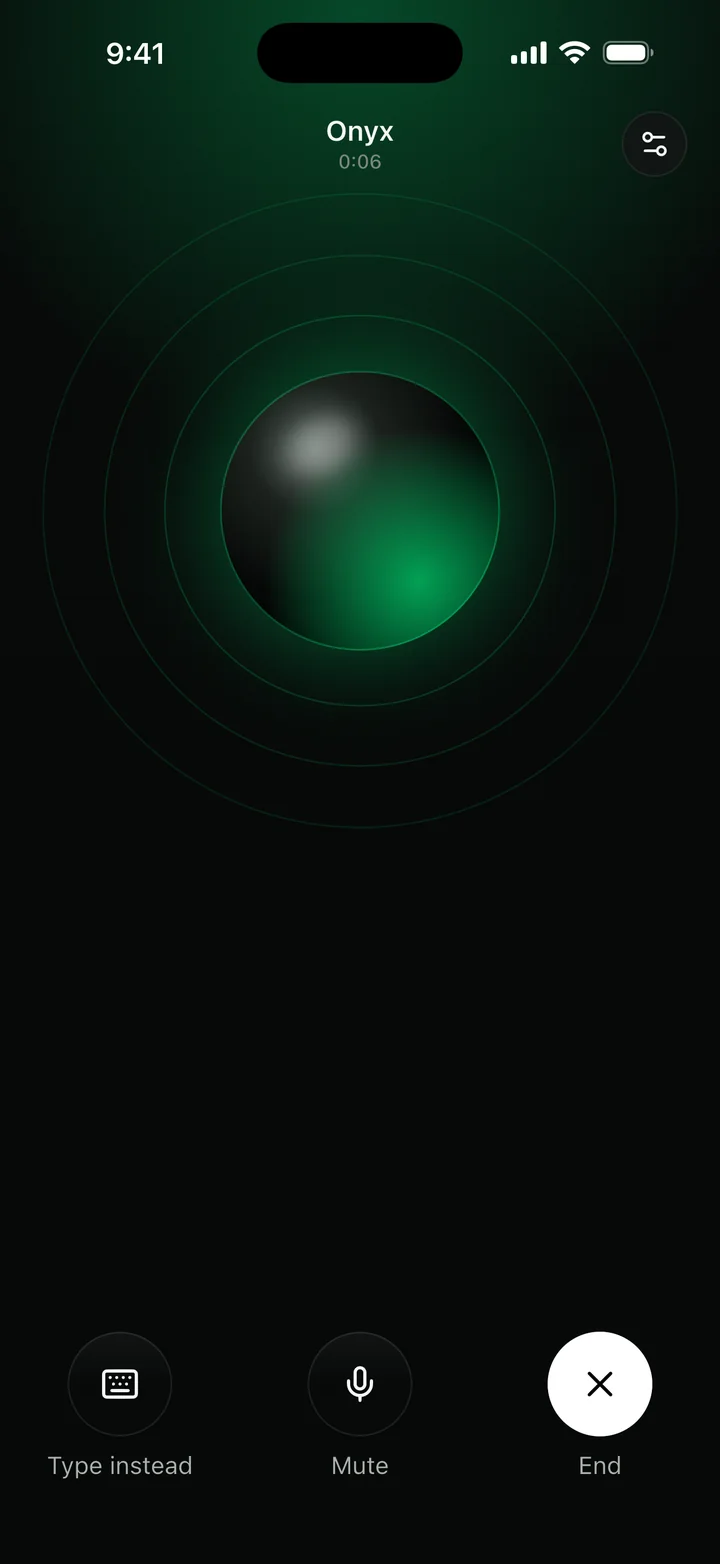
Tap the mic and ask about your business out loud, between jobs or behind the chair. Onyx answers in real time from your own numbers and offers the next step.

Talk to Onyx in the GoBlackly app: the Onyx orb during a voice conversation, with Type instead, Mute and End
Example
You

Do I have any open invoices?

Onyx

Yes, two. Marcus Reed owes $450 on invoice 1042, and it's 5 days past due. Jane Carter's $800 isn't due until the 24th. Want me to send Marcus a friendly reminder?

A sample conversation with made-up names and amounts.
  • Talk To OnyxA real-time voice conversation. It doesn't use your plan's voice minutes.
  • Type InsteadSomewhere quiet? Switch to typing and keep the same conversation.
  • You Approve ItOnyx brings the work to you to approve, the same as on the web.

Your Whole Business.One App.

The work you do at your desk, ready when you're away from it.

One Inbox

Texts, email and chat in one list. Reply yourself or send the draft Onyx wrote.
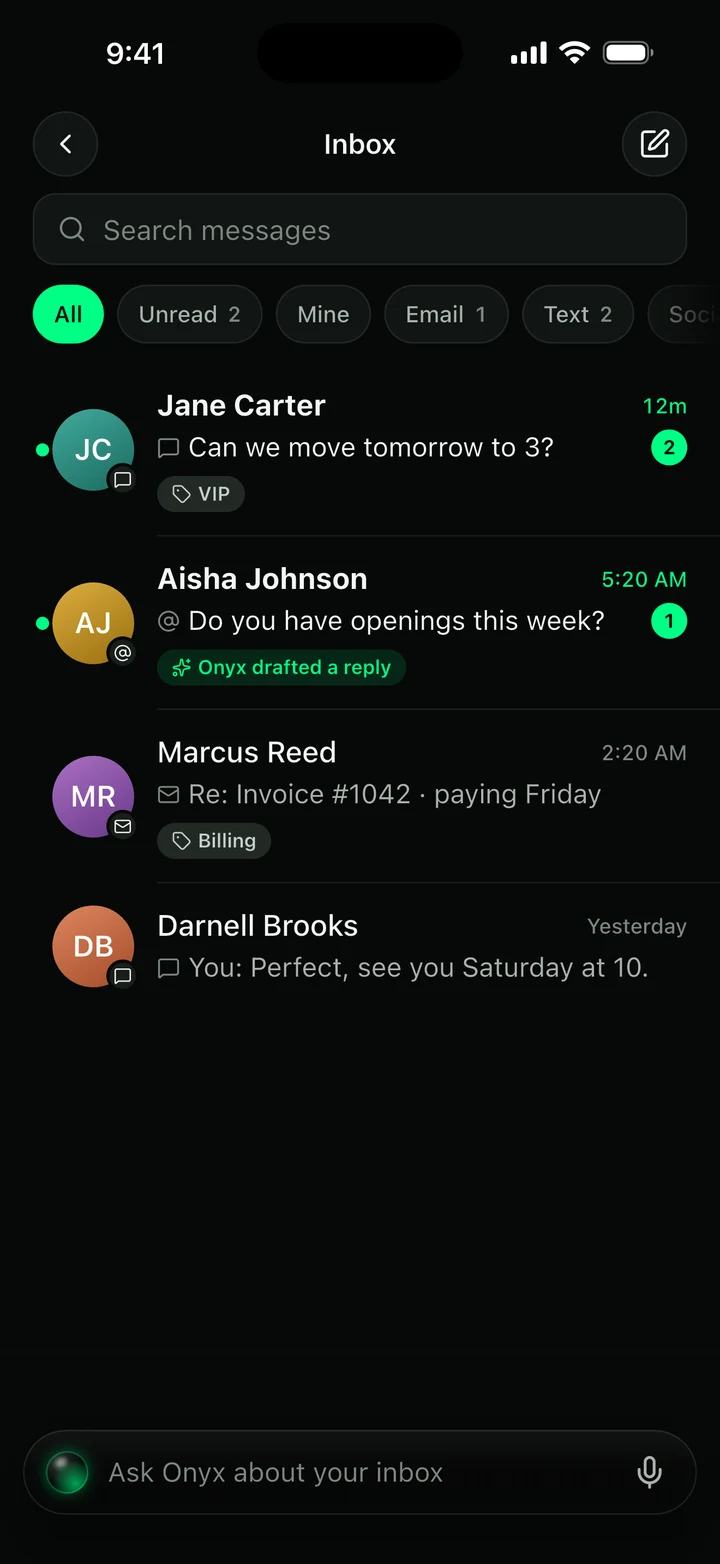
The GoBlackly app inbox: texts and emails from customers in one list, one with a reply Onyx drafted

Calls From Your Business Number

Call customers back without giving out your personal number.
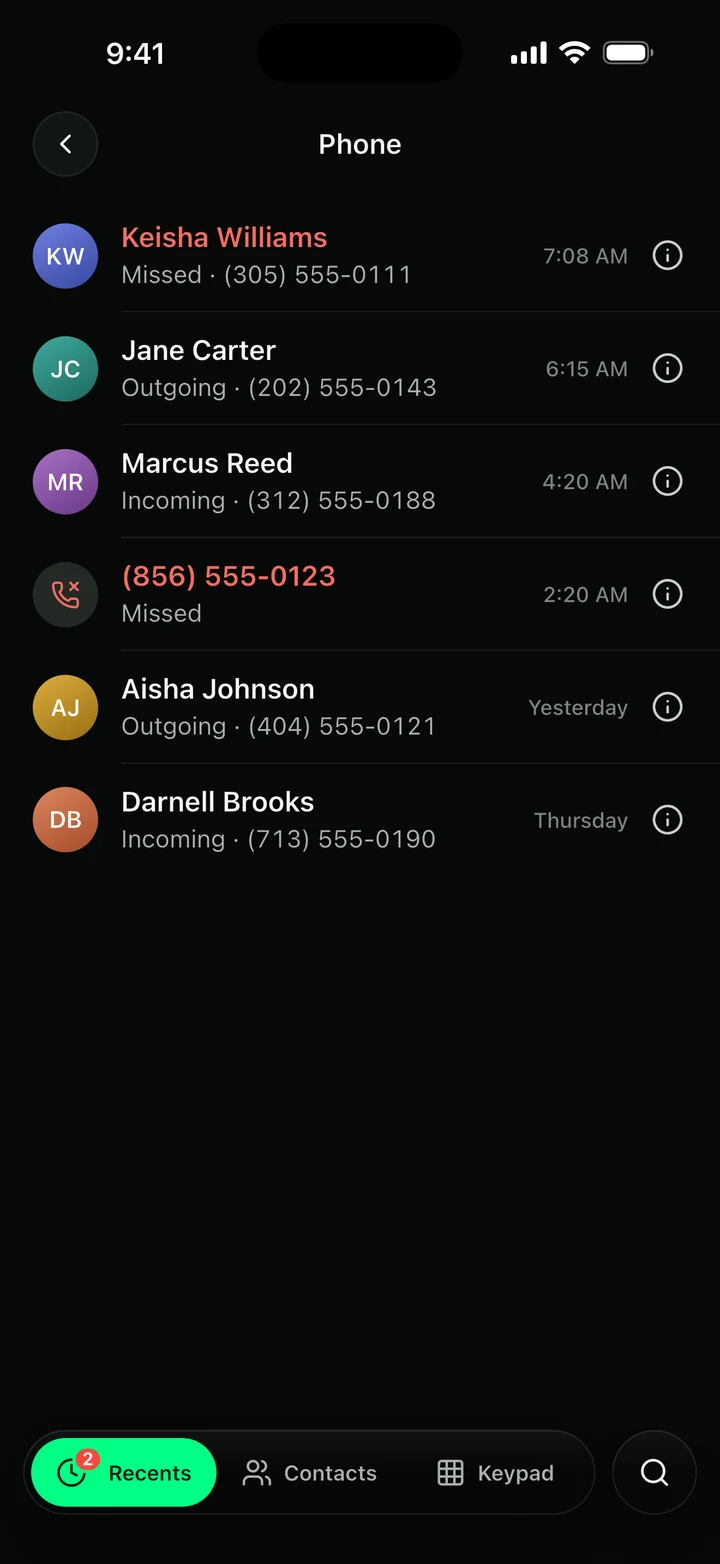
The GoBlackly app Phone screen: recent missed, incoming and outgoing calls

Invoices And Payments

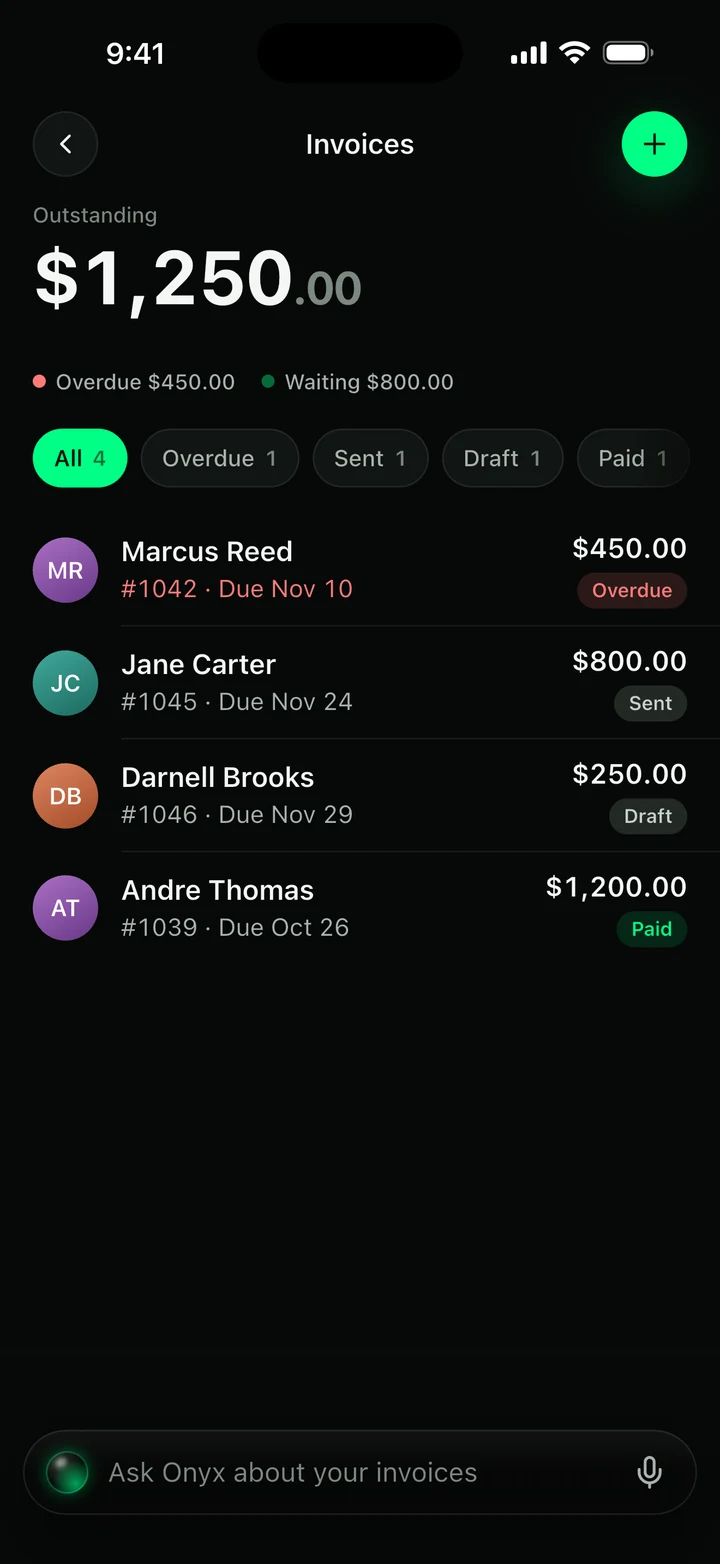
See who owes you, send an invoice or a payment link, and take a payment.

The GoBlackly app Invoices screen: $1,250 outstanding, with overdue, sent, draft and paid invoices

Calendar And Bookings

See your day, book a customer and move an appointment.
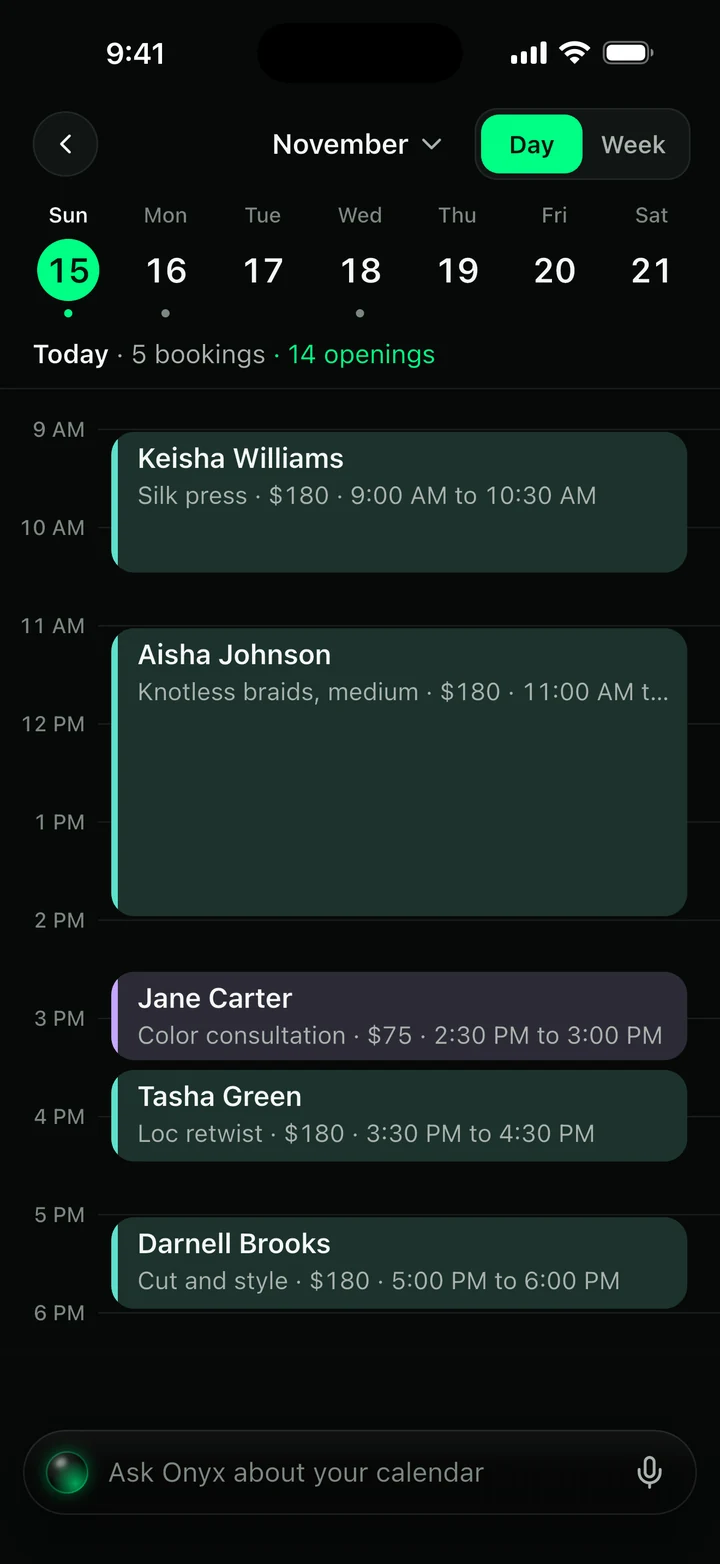
The GoBlackly app calendar: a day with five bookings

Contacts And Leads

Every contact with their stage and history, and new leads in their own list.
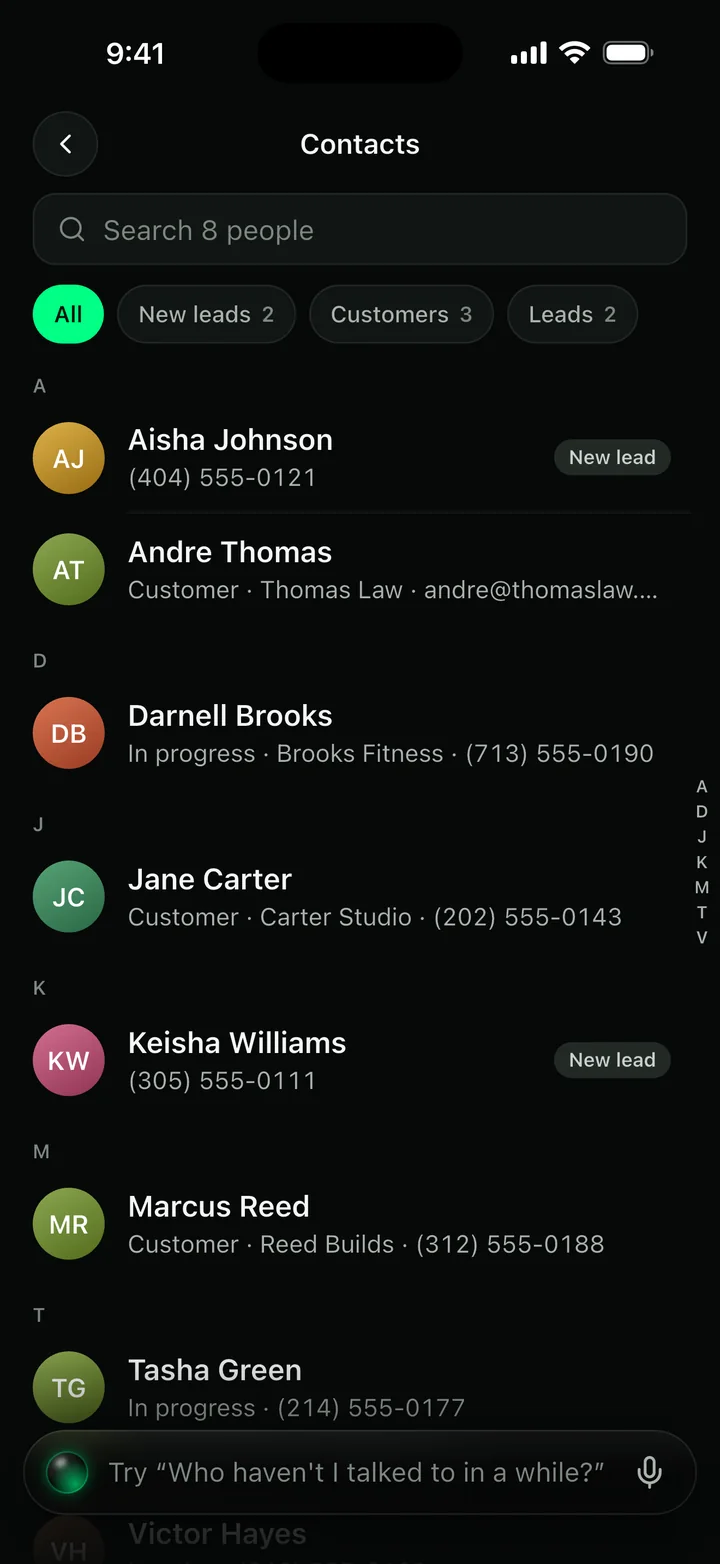
The GoBlackly app Contacts screen: customers and new leads with their stage

Push Notifications

Know right away about new leads, messages, bookings and payments.
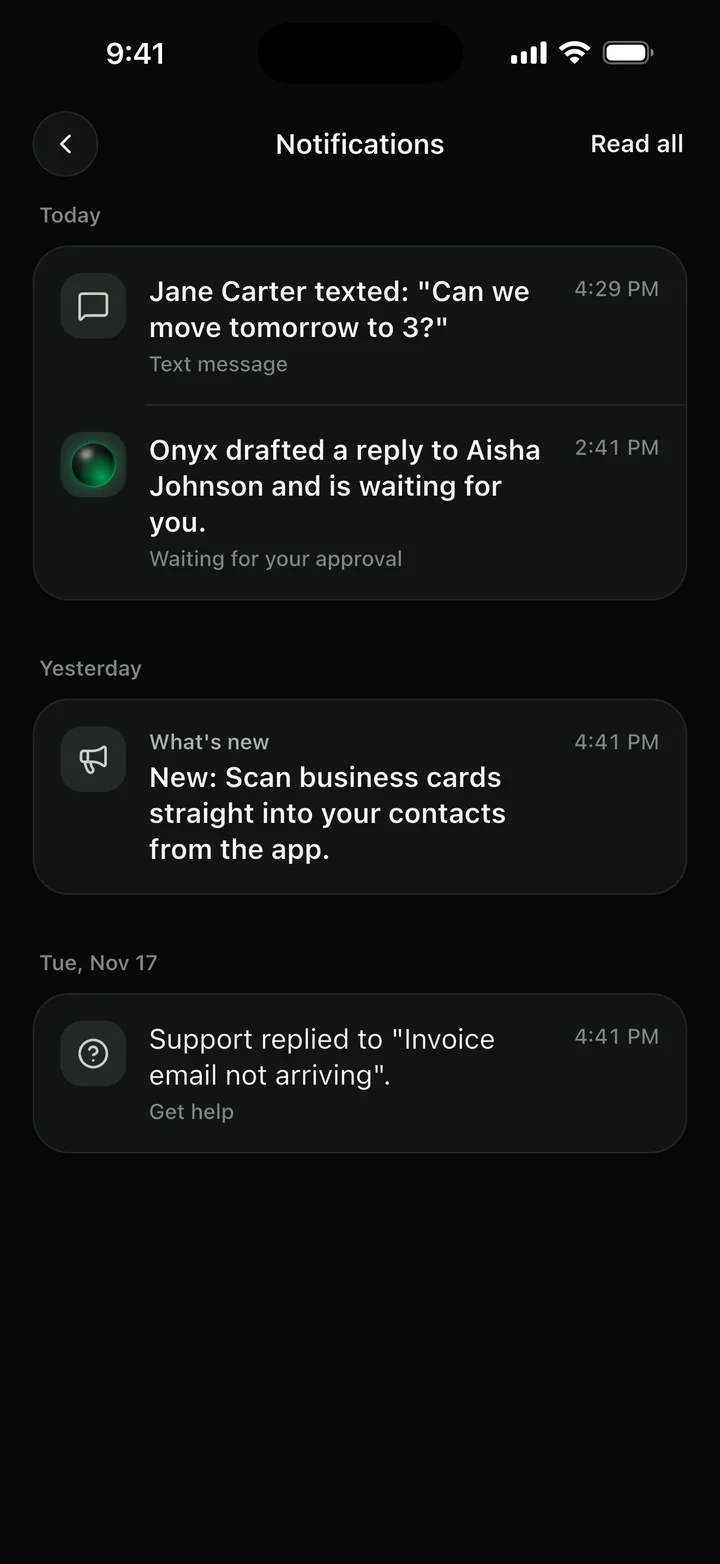
The GoBlackly app Notifications screen: a new text, a draft from Onyx waiting for approval and a product update

Same Account,Everywhere.

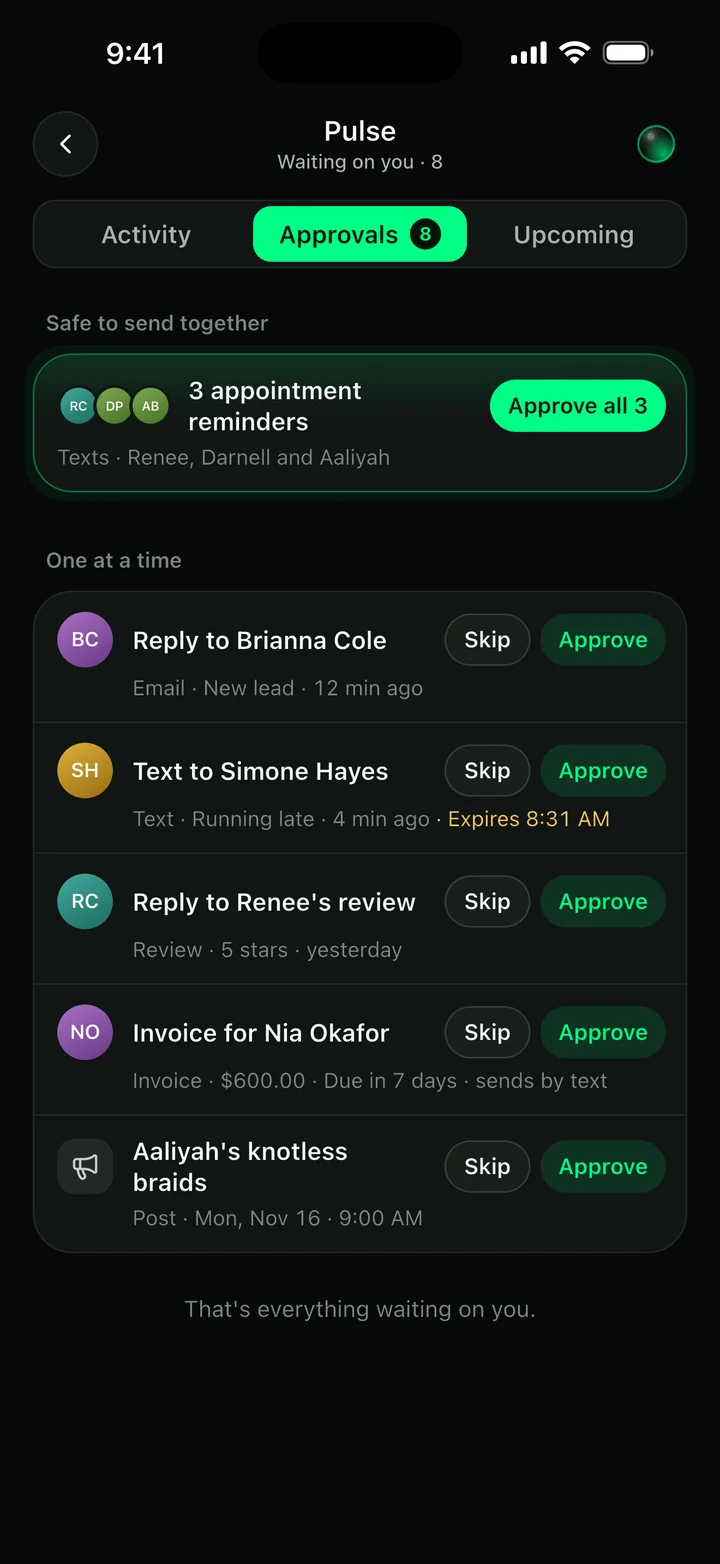
Sign in with the login you already use on the web. What you do on your phone shows up at your desk, and what Onyx prepares at your desk is waiting on your phone. Run more than one business? Switch between them on the same login.
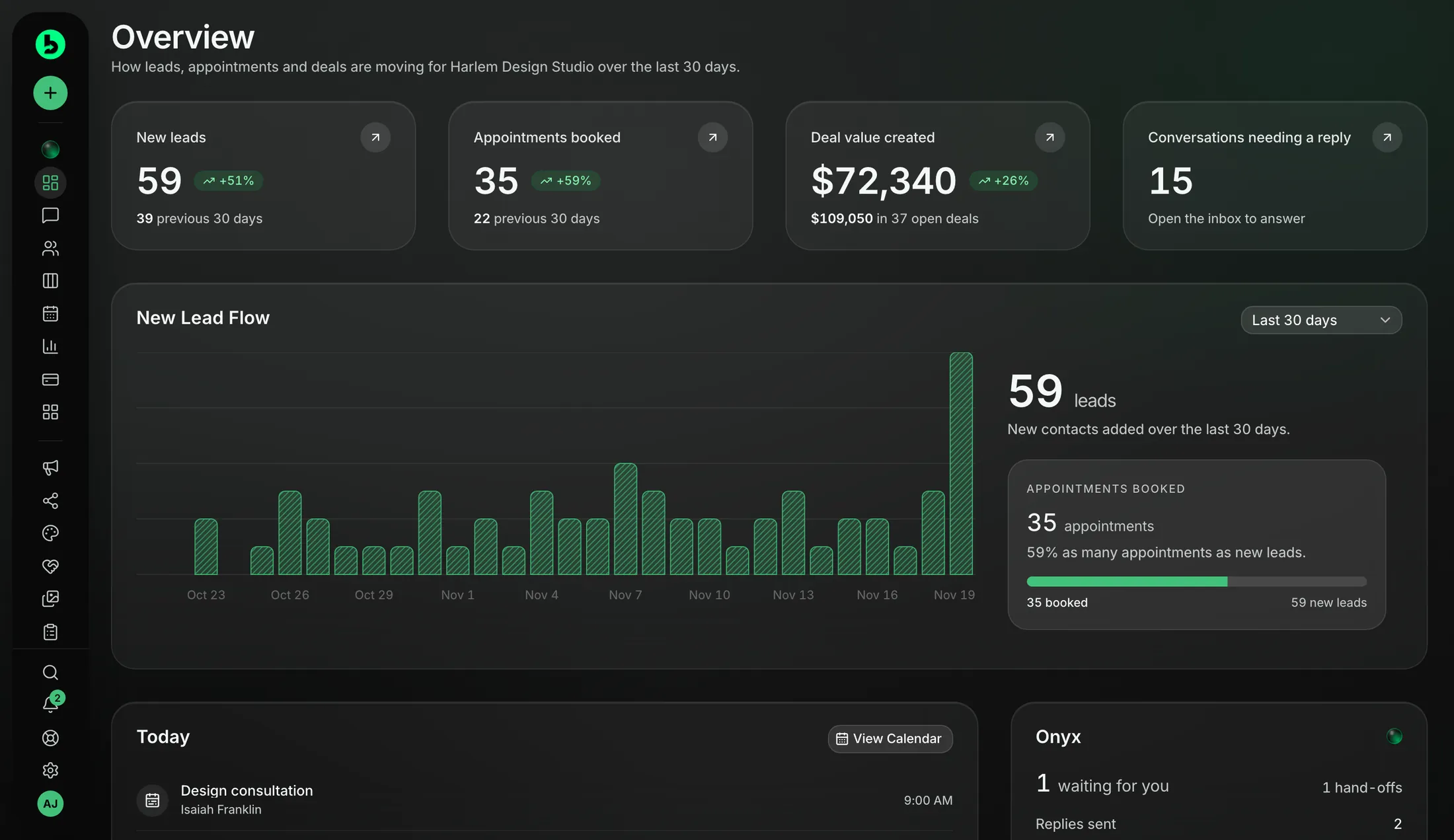
The GoBlackly OS dashboard on the web: new leads, appointments booked, deal value and what Onyx has waiting for you
Pulse in the GoBlackly app: drafts from Onyx waiting for approval
QR code that opens the GoBlackly app in your phone's app store

Scan To Get The App.

Point your phone's camera at the code. It opens the App Store on iPhone and Google Play on Android.

Download on the App StoreGet it on Google Play

Take Your BusinessWith You.

Download the app and sign in with your GoBlackly account.

Download on the App StoreGet it on Google Play

New to GoBlackly? Pick a plan